

Call list
Filter by All / Web / Website Widget / Phone, search by caller name or number, or filter by feedback. Each row shows status, channel, website (for widget calls), duration, recording availability, sentiment, and which agent handled it.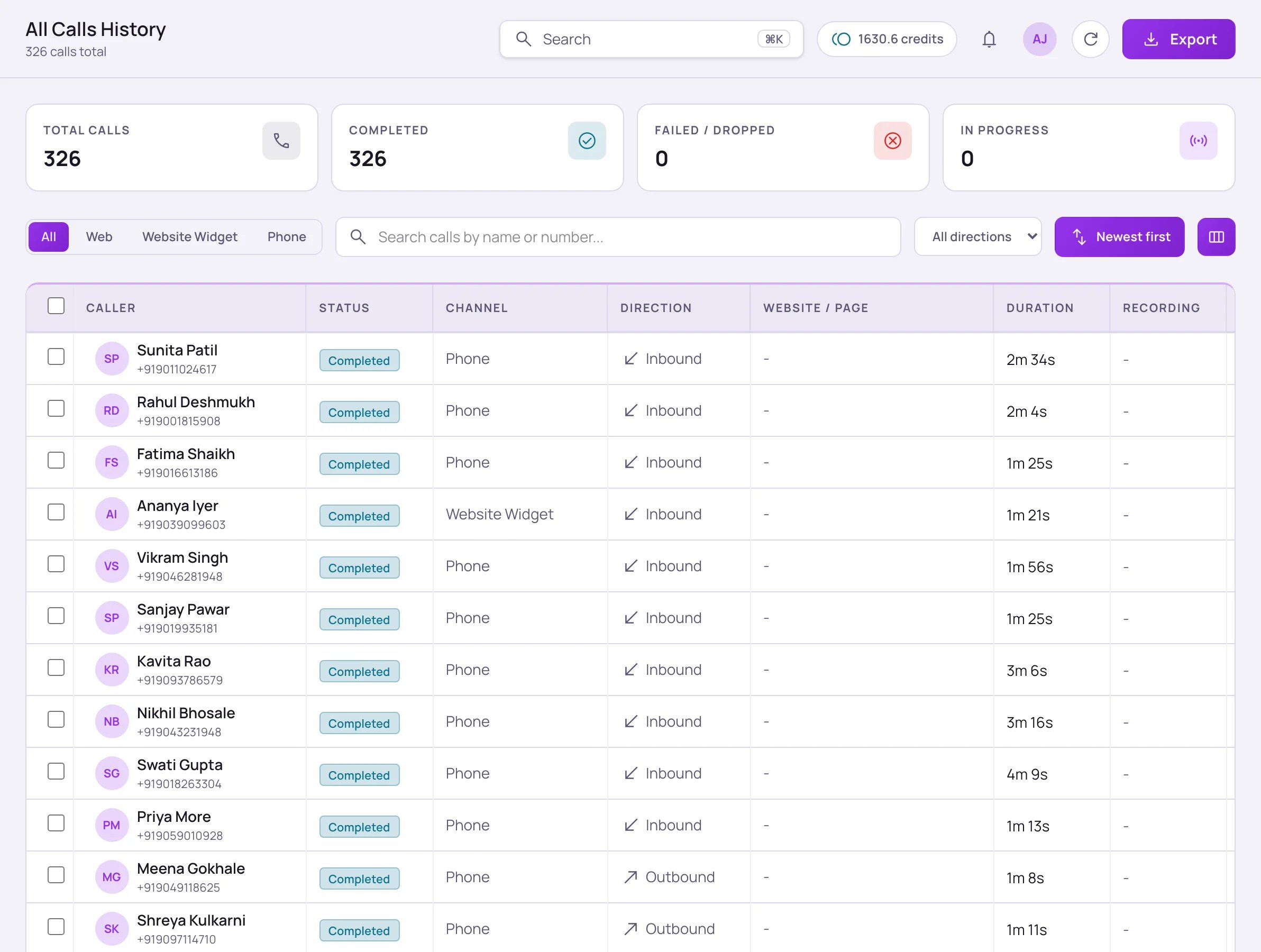
Monitor → Calls: the All Calls History table, with totals and channel filters above it.
Call detail
Opening a call shows its Details tab (the Other calls tab lists that caller’s earlier calls):- Call transcript — the full turn-by-turn conversation, downloadable as text.
- Conversation intelligence — click Analyze (Re-analyze once a call has been analyzed) to run AI analysis and get a summary, sentiment, outcome, QA score, and next steps for that specific call.
- Recording — inline playback and MP3 download, if recording is enabled in Compliance for your account.
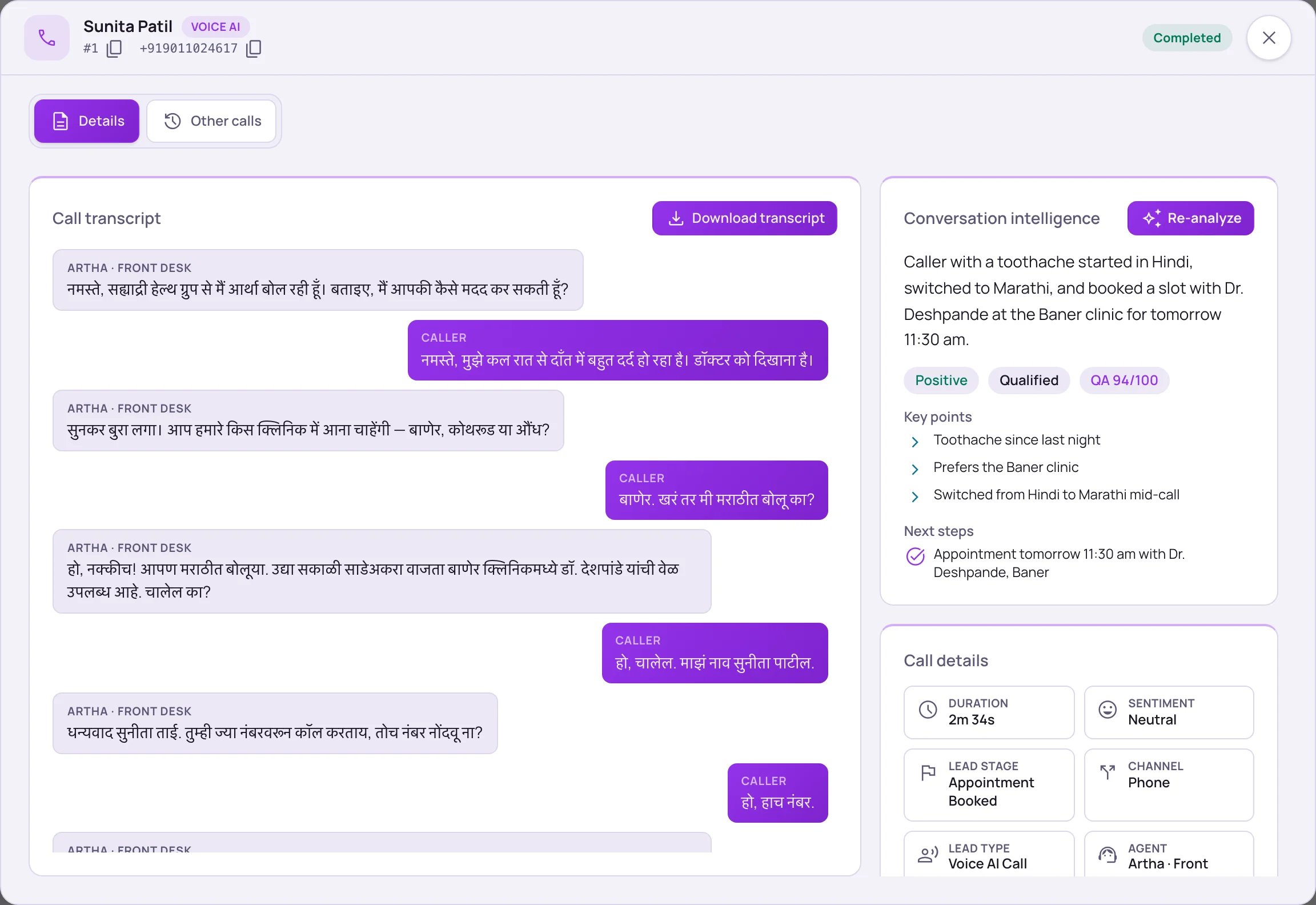
An opened call: the transcript on the left, conversation intelligence and call details on the right. This caller switched from Hindi to Marathi mid-call.